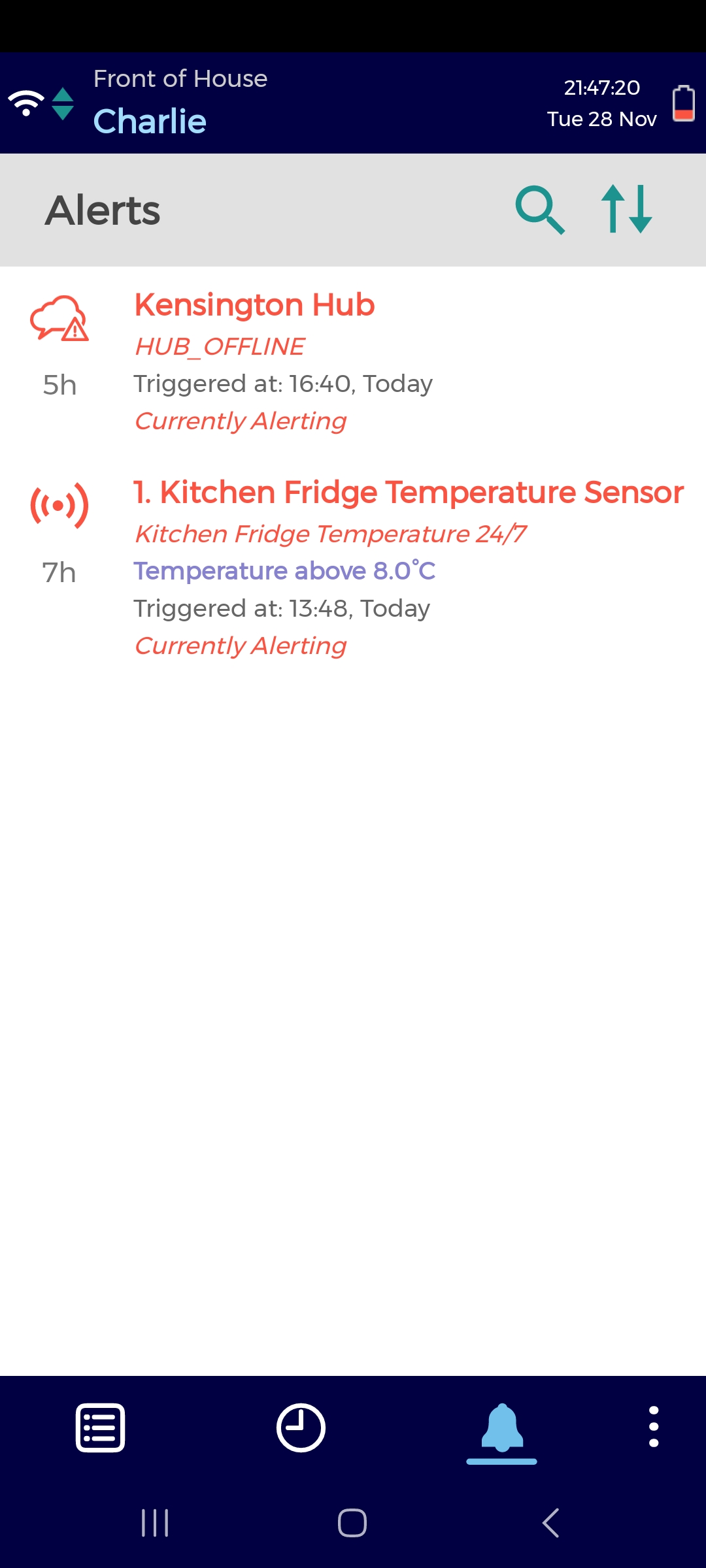
The mobile alerting screen contains:
-
Sensor alerts (triggered when a sensor is out of range for too long)
-
Service alerts (triggered when a sensor, hub, or repeater cannot send data to the cloud/ a sensor has low battery)
Alerts appear:
-
Red, if they are unacknowledged
-
Amber, if they are acknowledged
When logged into the app, you will receive a sound notification every 2 minutes if you have any unacknowledged alerts.
See image 1.
This is an optional feature for customers who use Checkit Sensors. Please contact us if you would like to enable it.
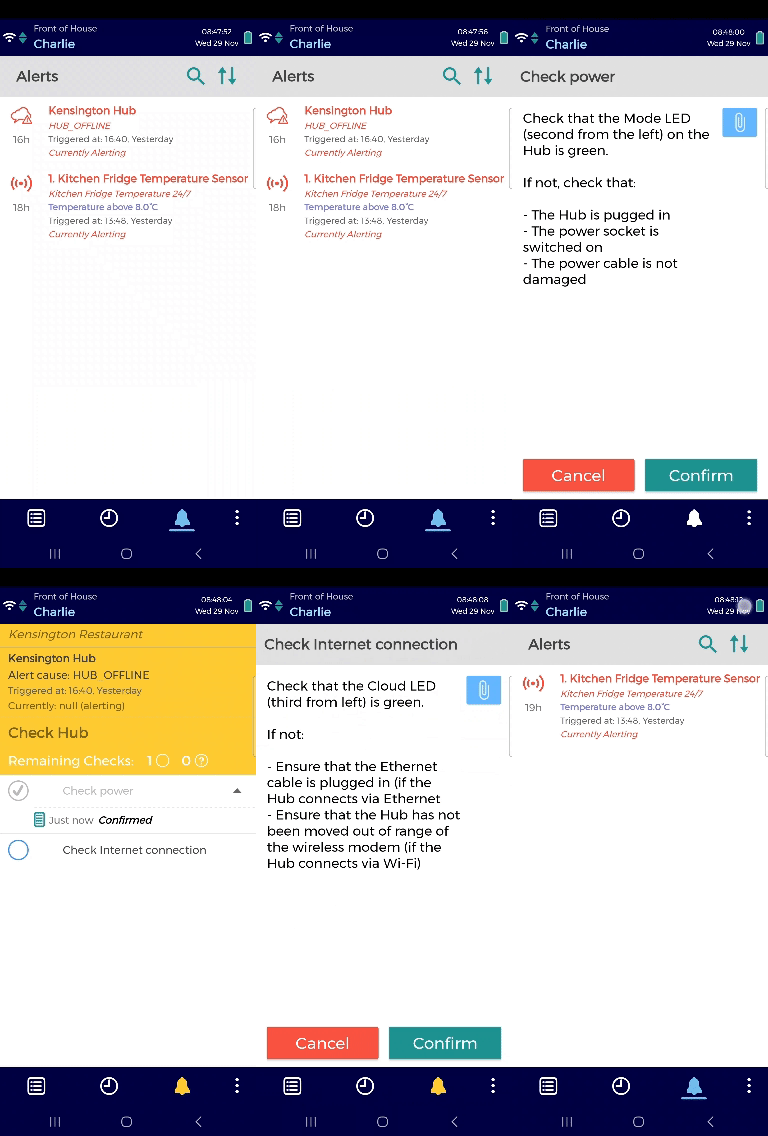
Tap on an alert to open a checklist which will help you resolve the issue.
See image 2.
If you cannot complete an alert checklist on the app, it is likely because the sensor is still out of range. A Safety Manager can override this requirement if, for example, a fridge or freezer is out of service and will not come back in range. See Force Back in Range for instructions.