
The new Control Centre delivers a simpler, faster, and more intuitive way to manage your operations.
With a refreshed layout, a new side menu, mobile accessibility, and enhancements throughout, everyday tasks are easier to find, access, and complete — whether you're managing one site or hundreds.
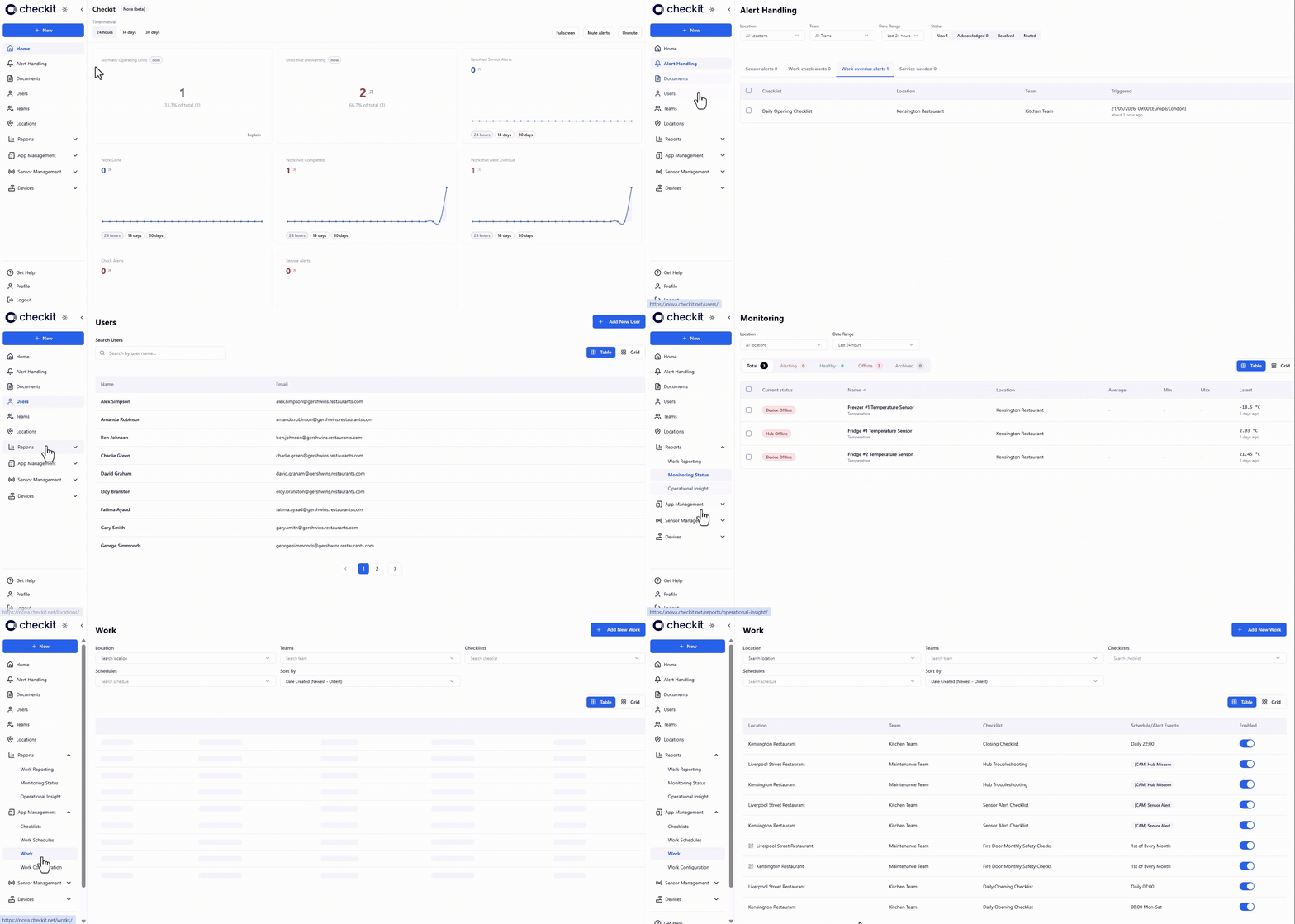
Everything you already know — alerts, teams, users, reports, monitoring, and work management — stays the same.
What’s changed is the Control Centre itself: improved visibility across the platform, most things no more than three clicks away, and a more streamlined experience designed to reduce time spent navigating and make common tasks easier to complete.
The new Control Centre has been designed so existing users can transition and start using it straight away without training, while new team members will find an experience that’s clear, intuitive, and easy to pick up from day one.
Questions about the rollout? Here’s everything you need to know about accessing and transitioning to the new Control Centre.
Frequently Asked Questions
Why are we launching a new Control Centre?
We’ve redesigned the Control Centre to improve the everyday experience of managing your operations — making common tasks simpler, quicker, and easier to complete.
The goal wasn’t to change how the platform works, but to improve how you interact with it.
Has the functionality changed?
No — the core functionality remains the same.
Alerts, teams, users, reports, monitoring, work management, permissions, and user roles all work as they do today.
The difference is the Control Centre experience itself — with a clearer layout, improved navigation, mobile access, and a more intuitive way to access the tools you already use.
How do I log in to the new Control Centre?
Your existing username and password will continue to work exactly as before.
You can access the new Control Centre and log in as usual.
No account changes, password resets, or migration steps are required.
Do I need to migrate or set anything up?
No migration is required.
Your users, teams, alerts, reports, monitoring configuration, permissions, and settings will all be available as usual.
You can simply log in and continue working.
Want a closer look at the new Control Centre?
Visit our dedicated tour page to watch the complete walkthrough video and discover the latest enhancements.
See the refreshed experience in action, explore the updated interface, and learn more about the improvements designed to make managing your operations simpler, faster, and easier.
Will training and support resources be available?
Yes.
We’ve updated our Help Centre to reflect the new interface and created a full set of training videos.
Because the functionality and concepts remain familiar, and the new Control Centre design is intentionally simple and intuitive, existing users should find the transition straightforward and be able to start using it straight away, without the need for formal training.
If you'd like additional guidance, you can access:
What feedback have customers shared so far?
The new Control Centre has been extensively beta-tested with customers, and we’ve received excellent feedback on usability, navigation, and the overall experience.
We’re excited to make it available to everyone.
Need help or want to share feedback?
We’re here to help.
If you have any questions, need assistance, or would like to share feedback on the new Control Centre, please contact us — we’d love to hear from you.