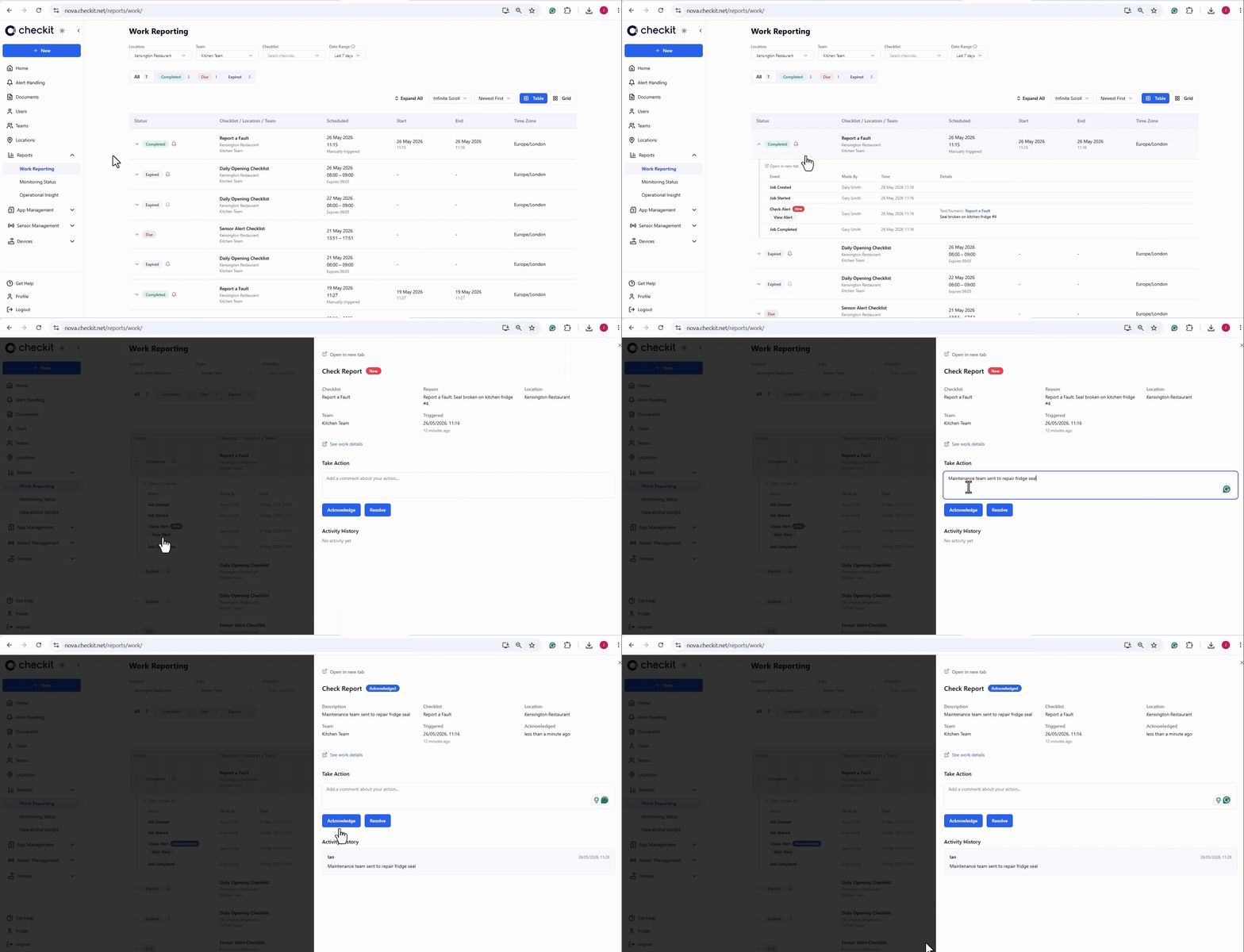
We’re excited to unveil the all-new Control Centre—a major upgrade that makes it easier than ever to manage your operations.
With most things no more than three clicks away and packed with enhancements, it delivers a smoother, more intuitive experience whether you're managing one site or hundreds.
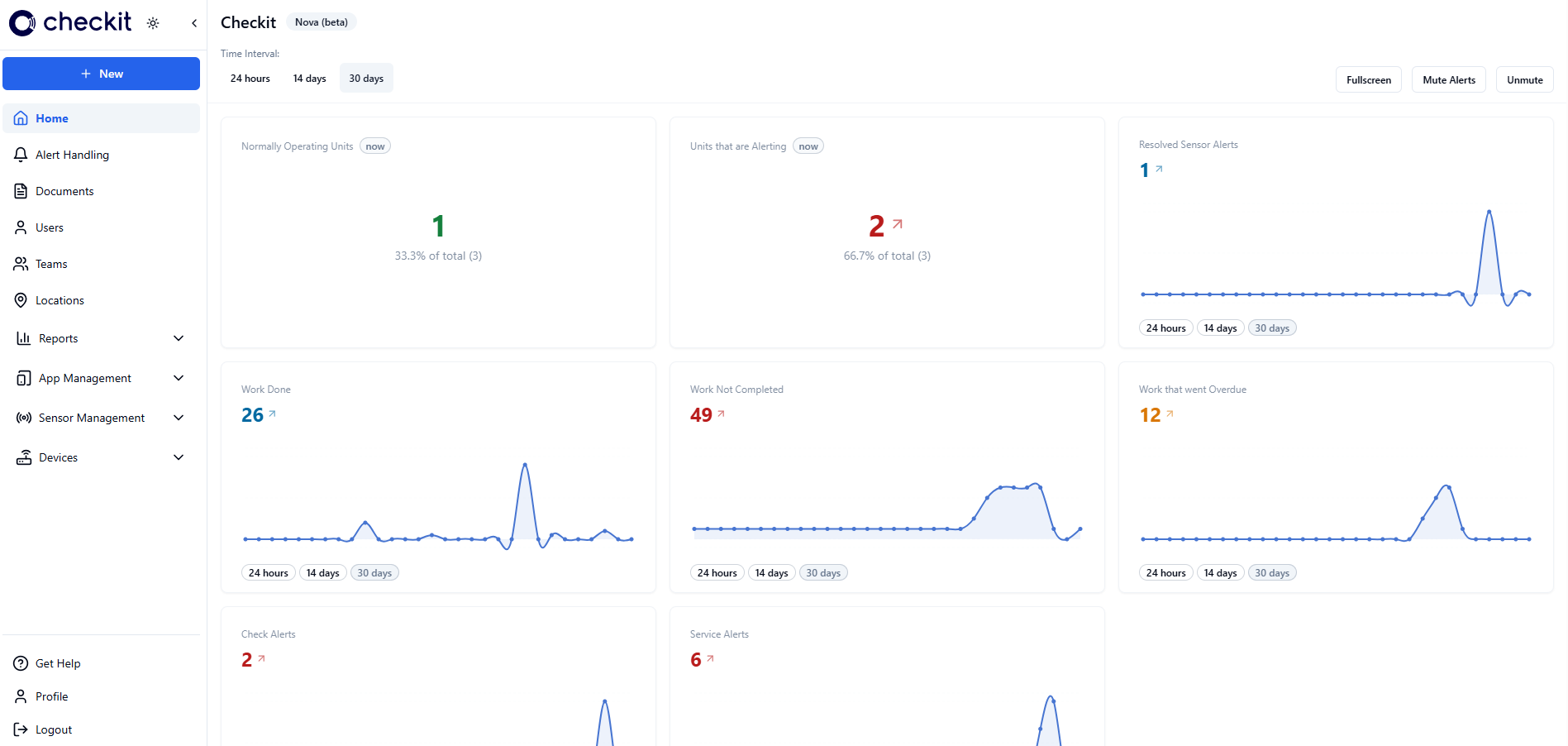
Take a Tour
Discover the New Control Centre Enhancements
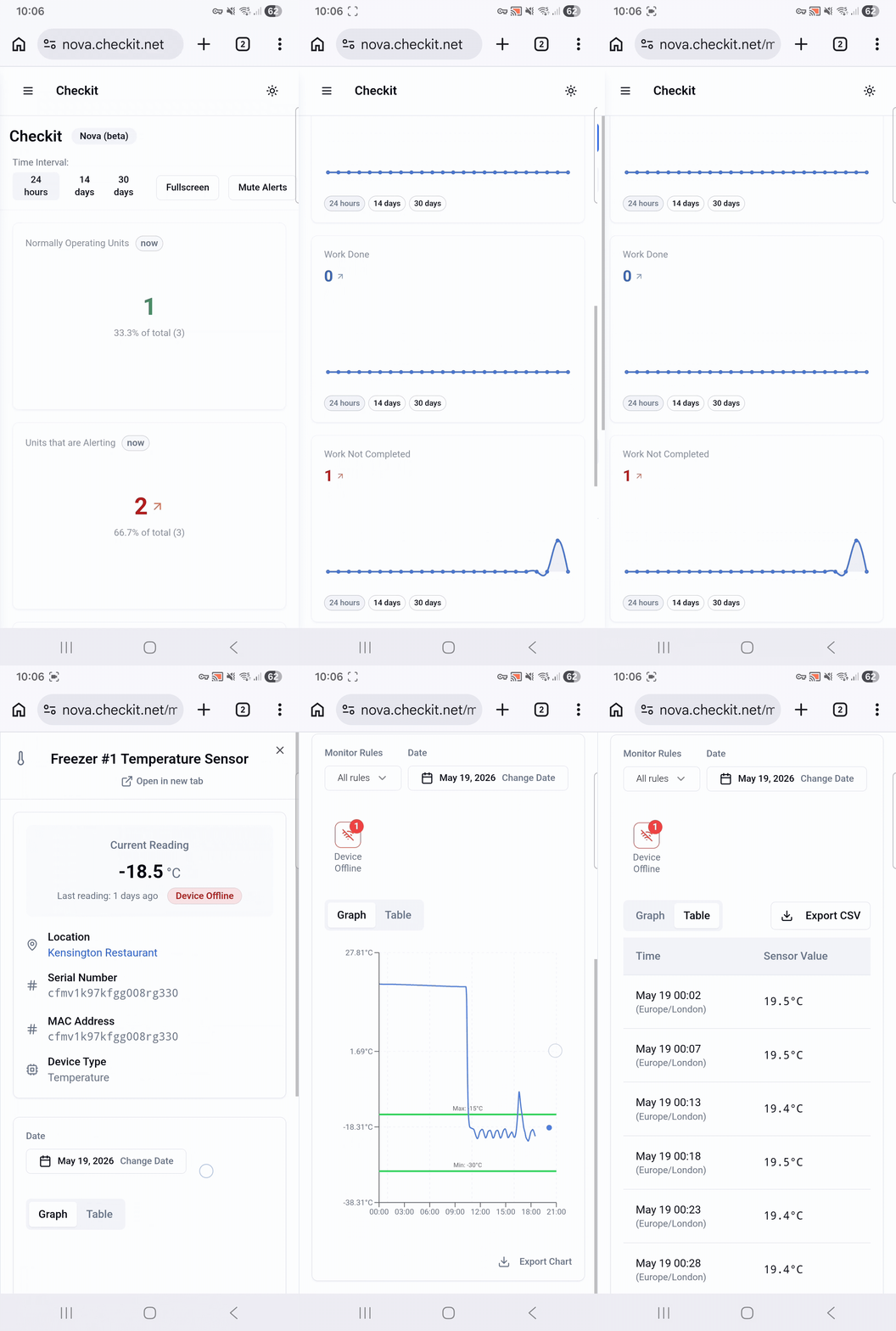
📱 Fully accessible on mobile
The Control Centre is now fully accessible on mobile devices, giving you complete flexibility wherever you are. Whether you want to check sensor readings, manage alerts, or manage assigned work, you can do so on the go.
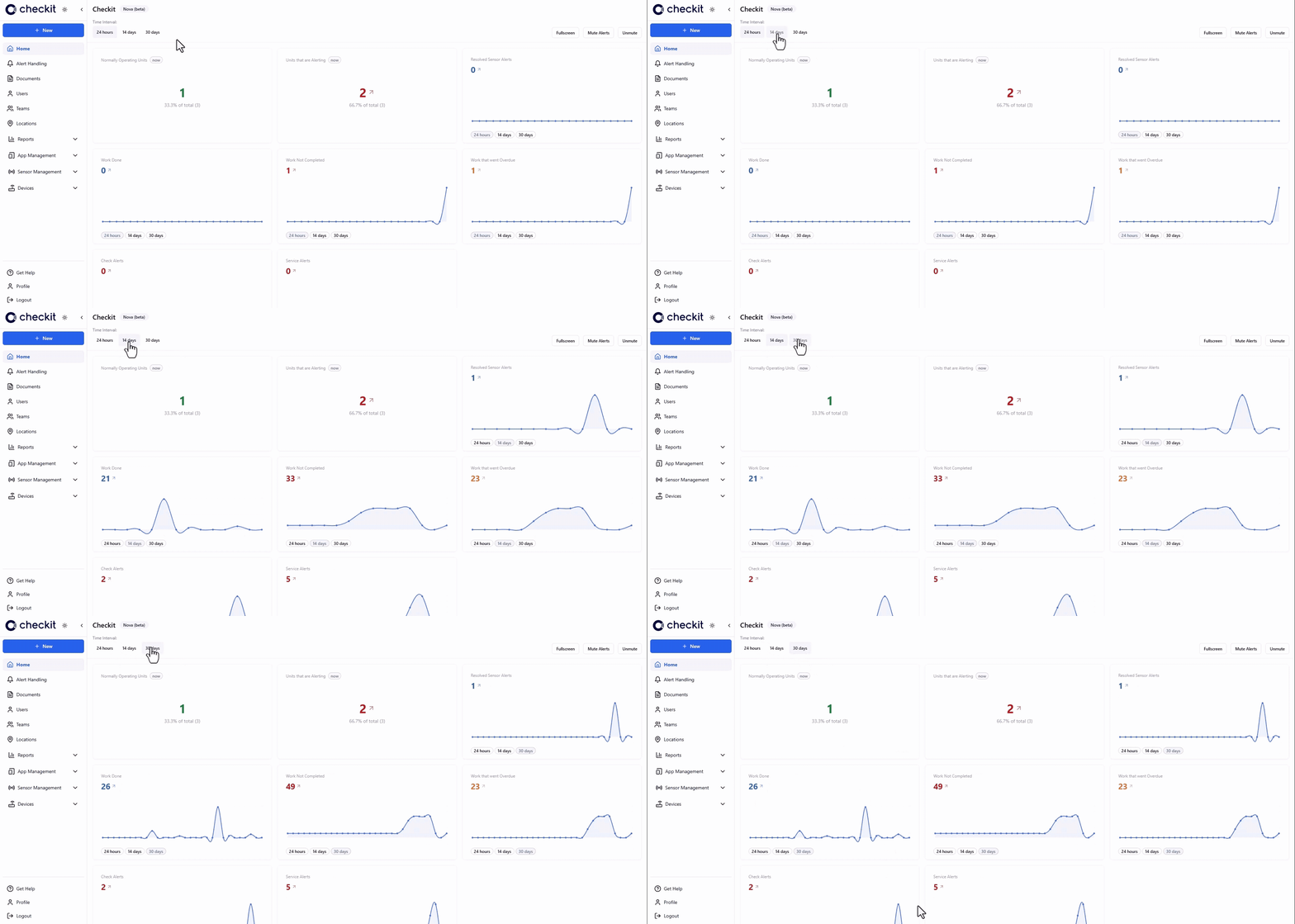
📊 A smarter homepage dashboard
The new homepage displays a dashboard giving you a snapshot of performance across your sites and providing meaningful insight at a glance.
⚡ A new side menu for smoother navigation
The new side menu puts everything you need—alerts, reports, sensor readings, checklists, teams, users—right at your fingertips.
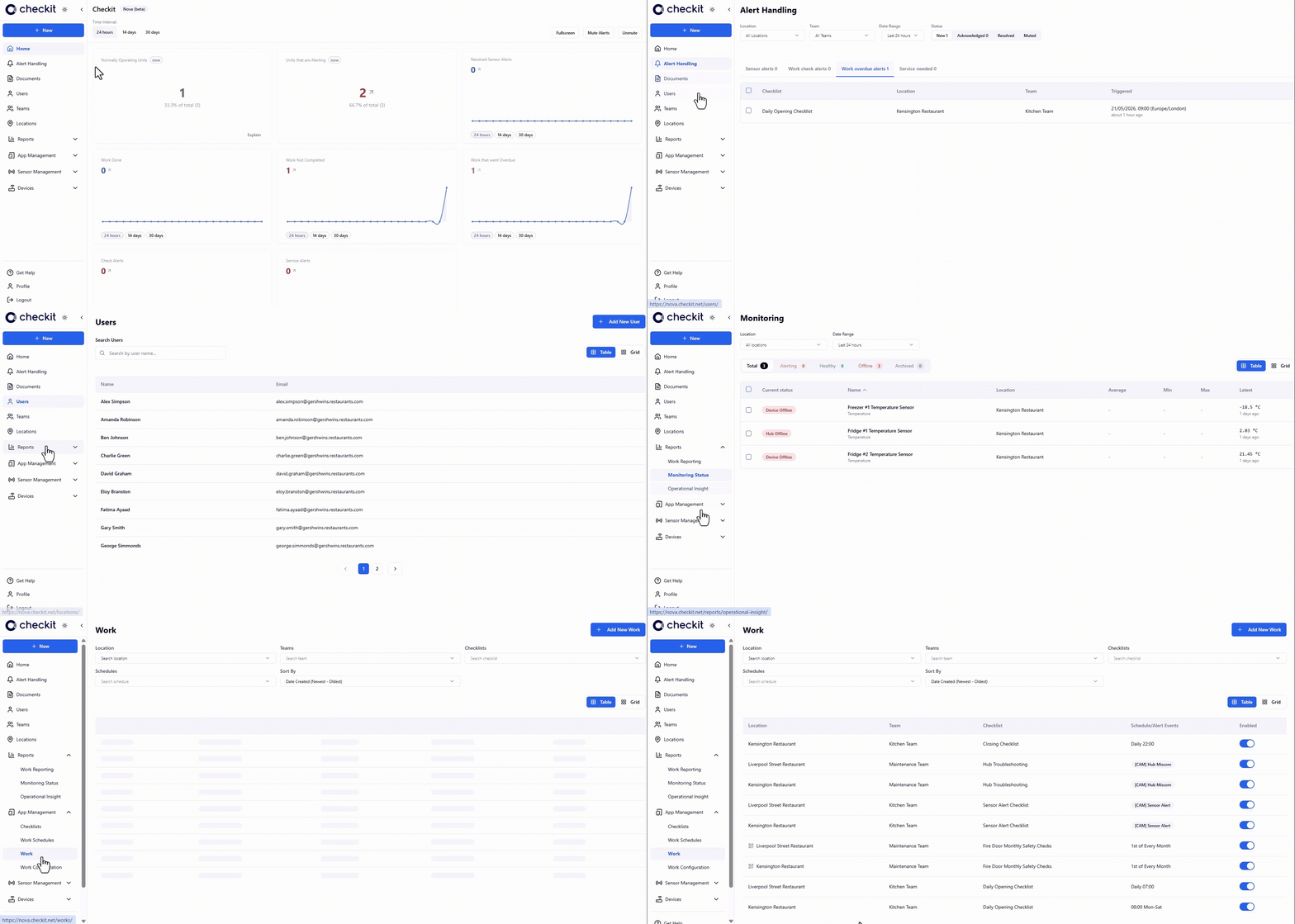
📅 Export up to 12 months of data
Export up to 12 months of data on sensor readings, alerts, and work, making it easier to demonstrate compliance.
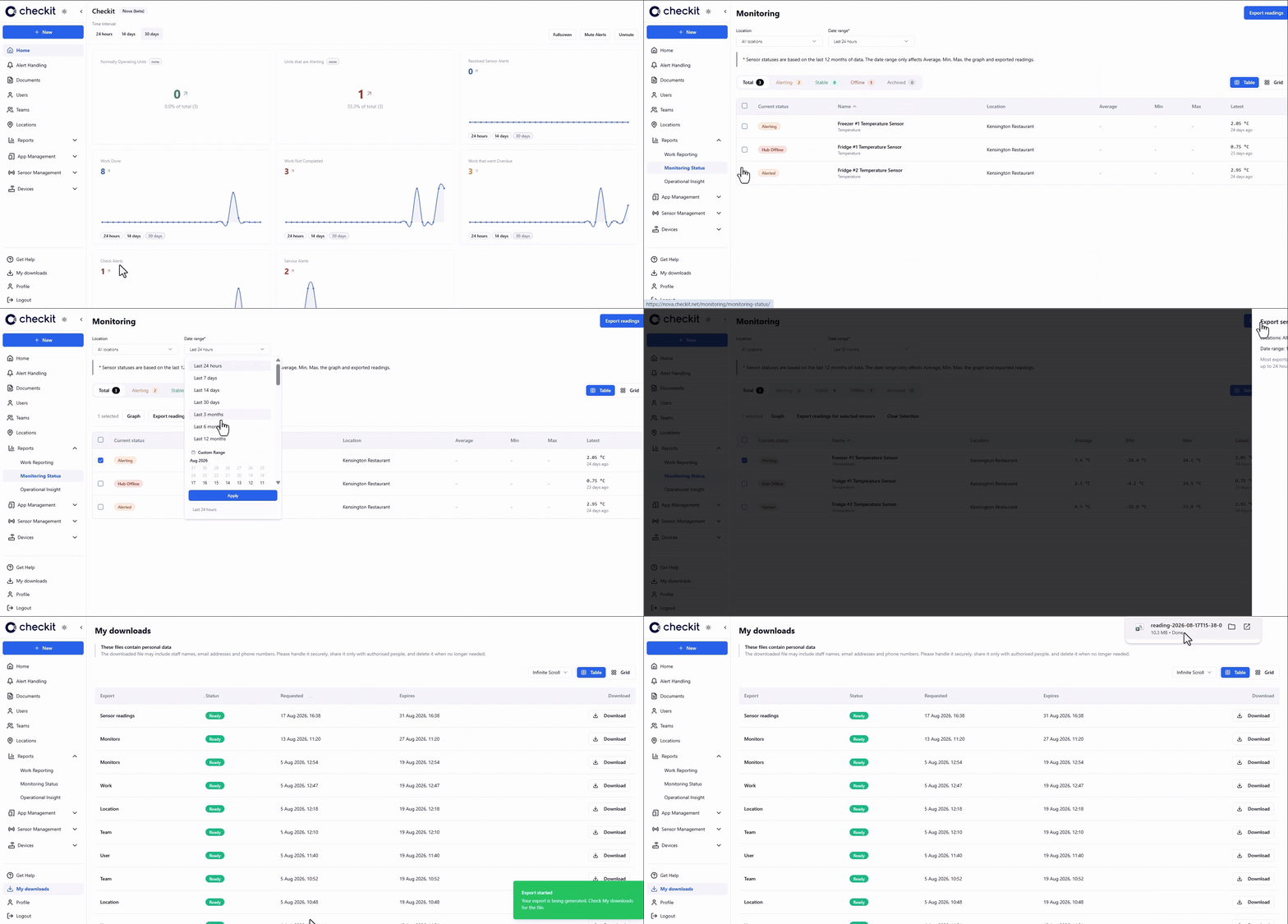
⬇️ Export user lists, assigned work, monitoring configuration, & locations
Export user lists, assigned work, monitoring configuration, and locations, making it easier to review your setup.
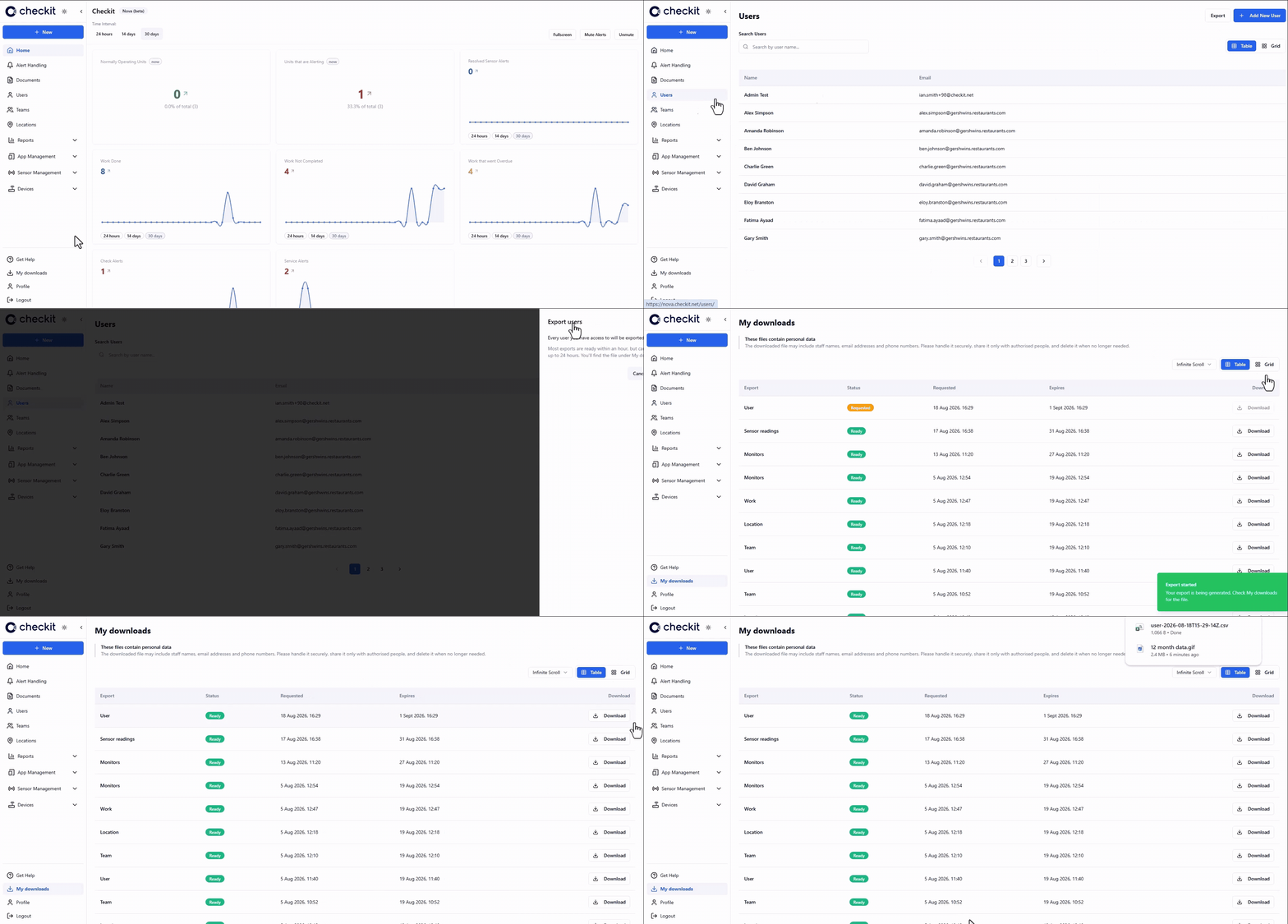
🔇 Mute alerts when a unit is out of service
If a fridge or freezer is being serviced, cleaned, or temporarily taken out of use, you can now mute alerts to prevent unnecessary notifications—while still maintaining full visibility across your operation. Click here for full details.
🔗 Share alerts quickly with a direct link
Need a colleague or manager to see an issue immediately? You can now copy a link to any alert and share it instantly—making collaboration faster and easier.
.gif?cb=04c09225a8e7efc46c0daa6acdc9a784)
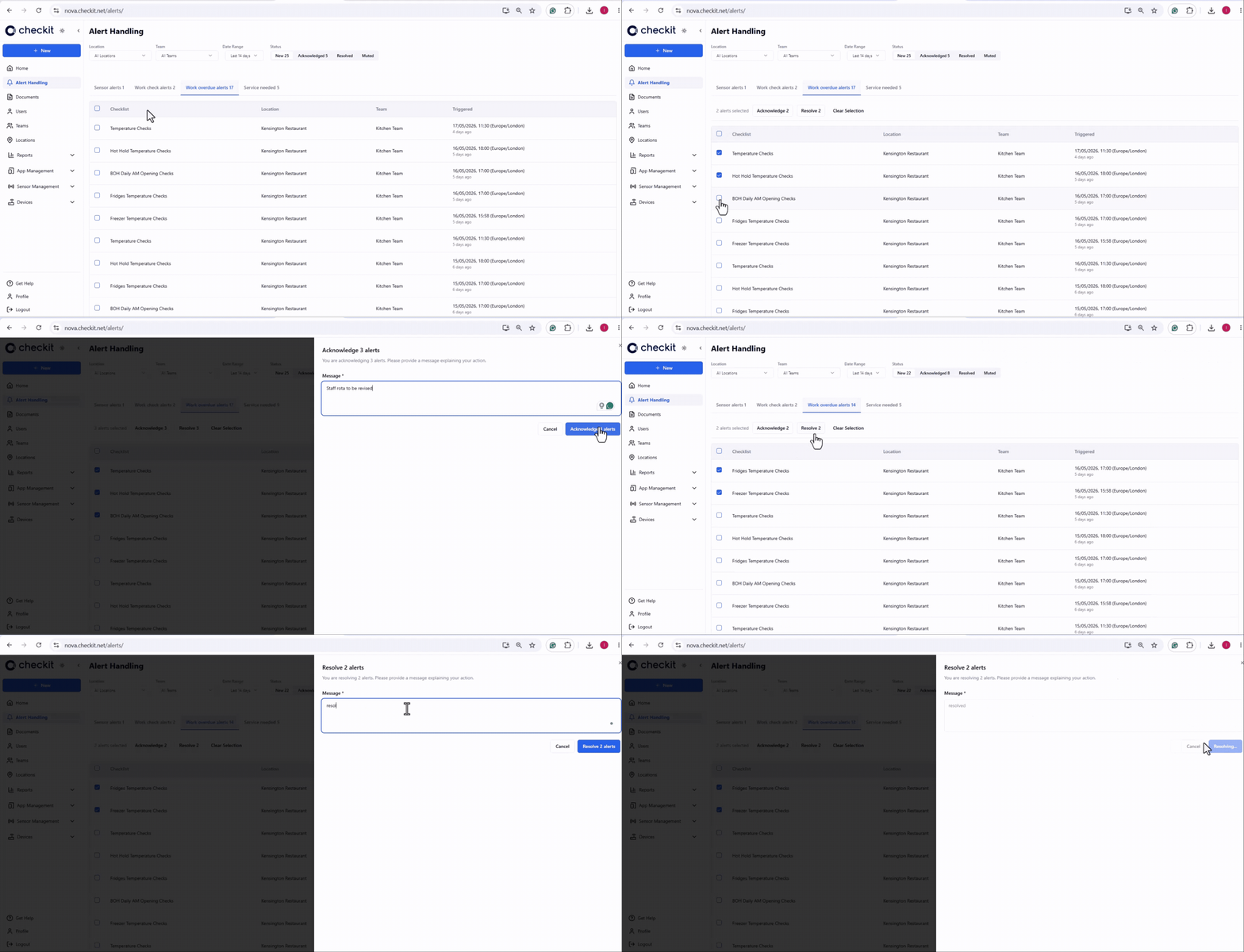
✔️✔️ Select multiple alerts to acknowledge or clear
You can now select multiple alerts and clear them together. It’s a big time-saver for busy environments.
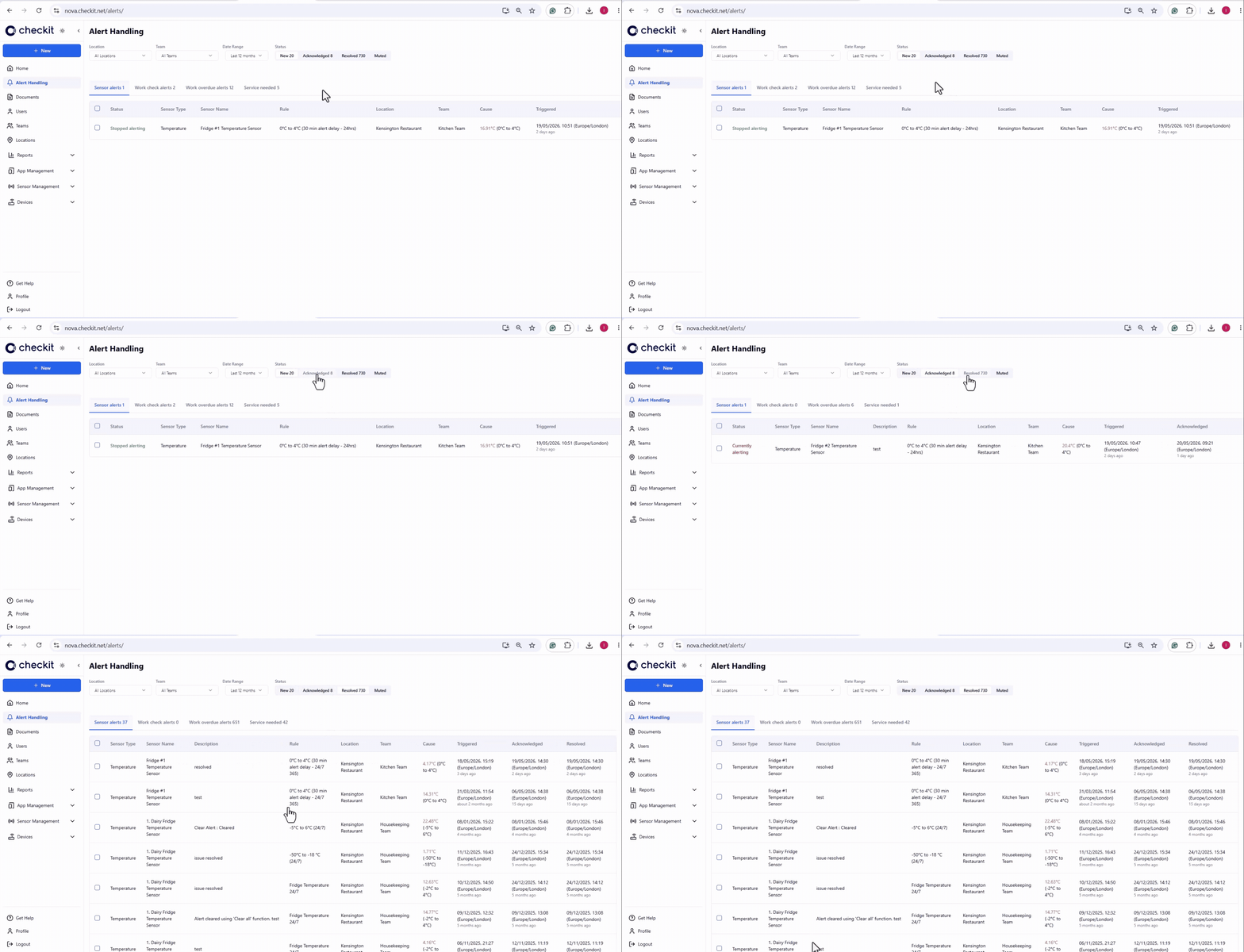
🔔 Filter alerts by status
Now, you can filter alerts by completion status (new, acknowledged, resolved), so you can track the status of incidents on site.
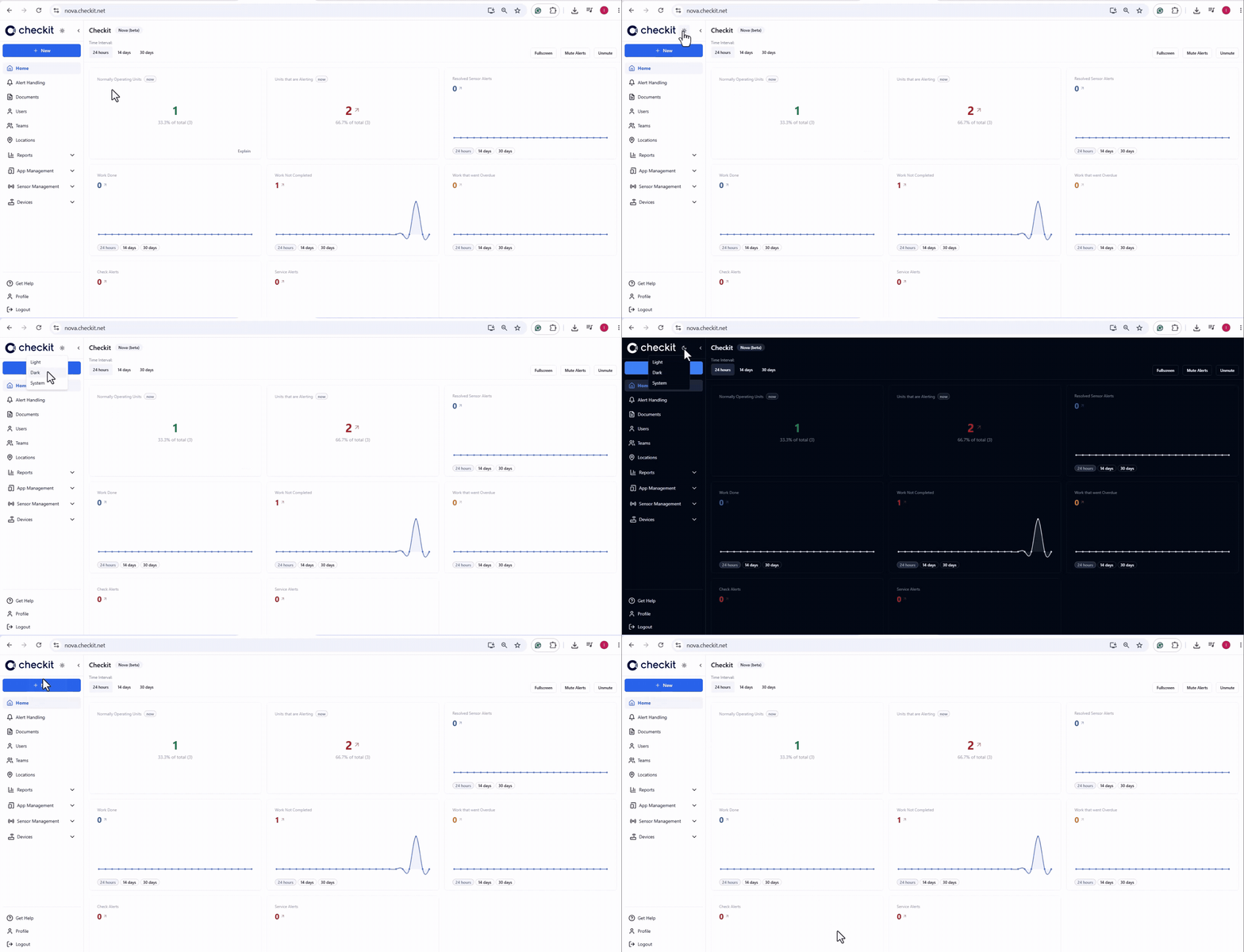
🌙 Dark mode for a more comfortable experience
The interface now supports dark mode—making it easier on the eyes and giving users another way to personalise their workspace.
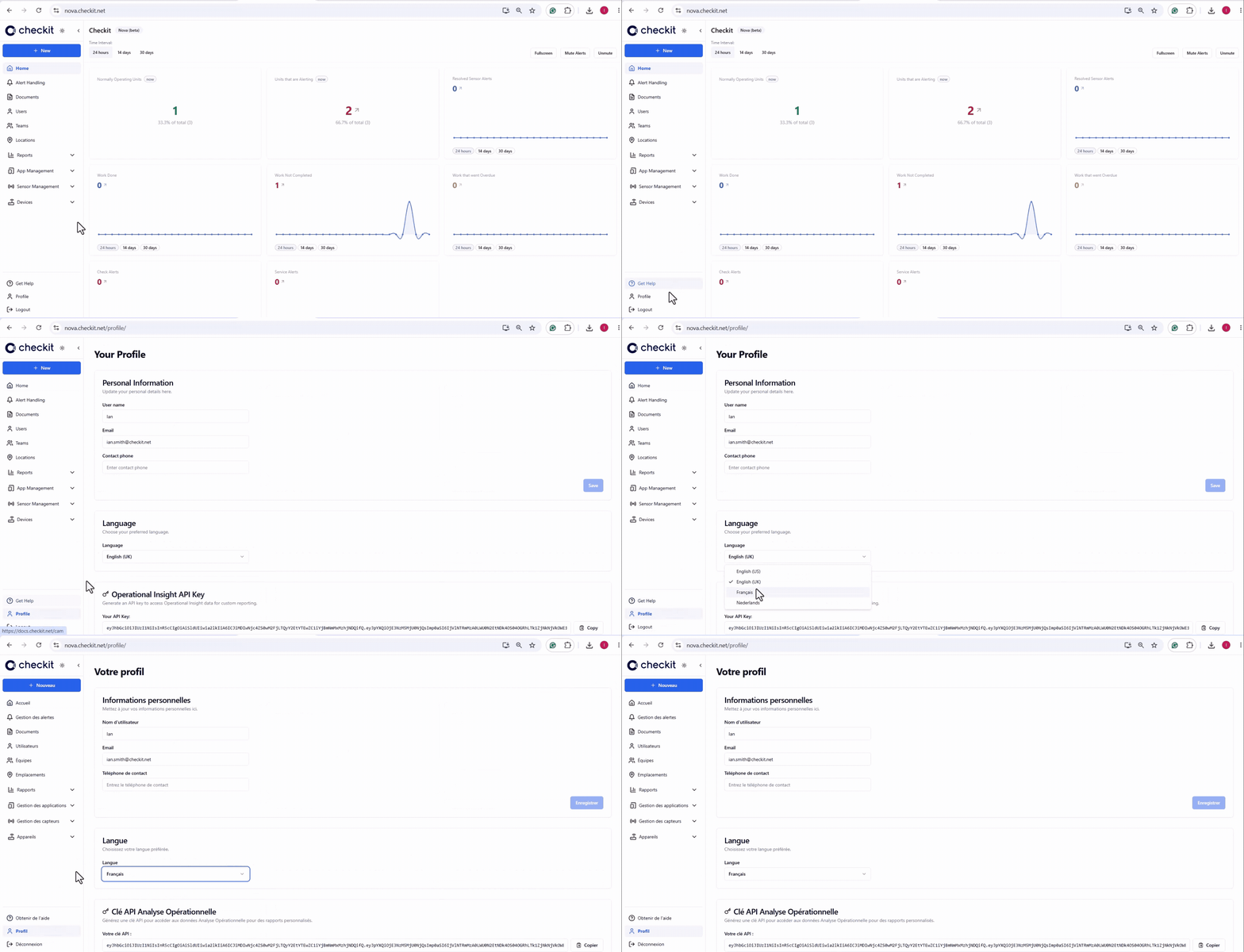
🌍 User-level language selection
Now, each user can select their preferred language - English (UK), English (US), French, and Dutch- making the Control Centre more flexible for multilingual teams.
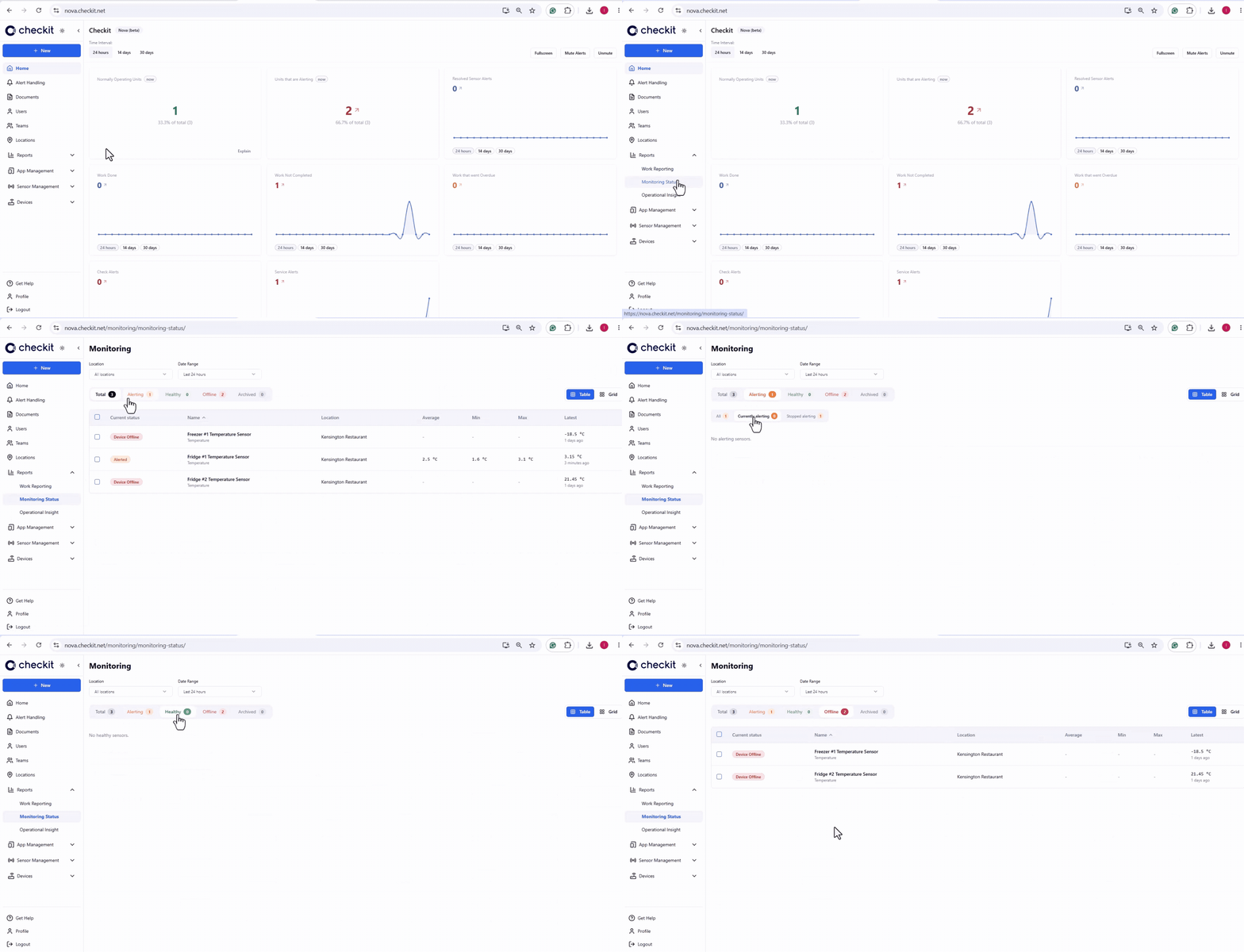
☰ Filter sensors by status
Now, you can filter sensors by alert status (alerting -currently alerting/stopped alerting - healthy, offline), so you can quickly identify which units need attention.
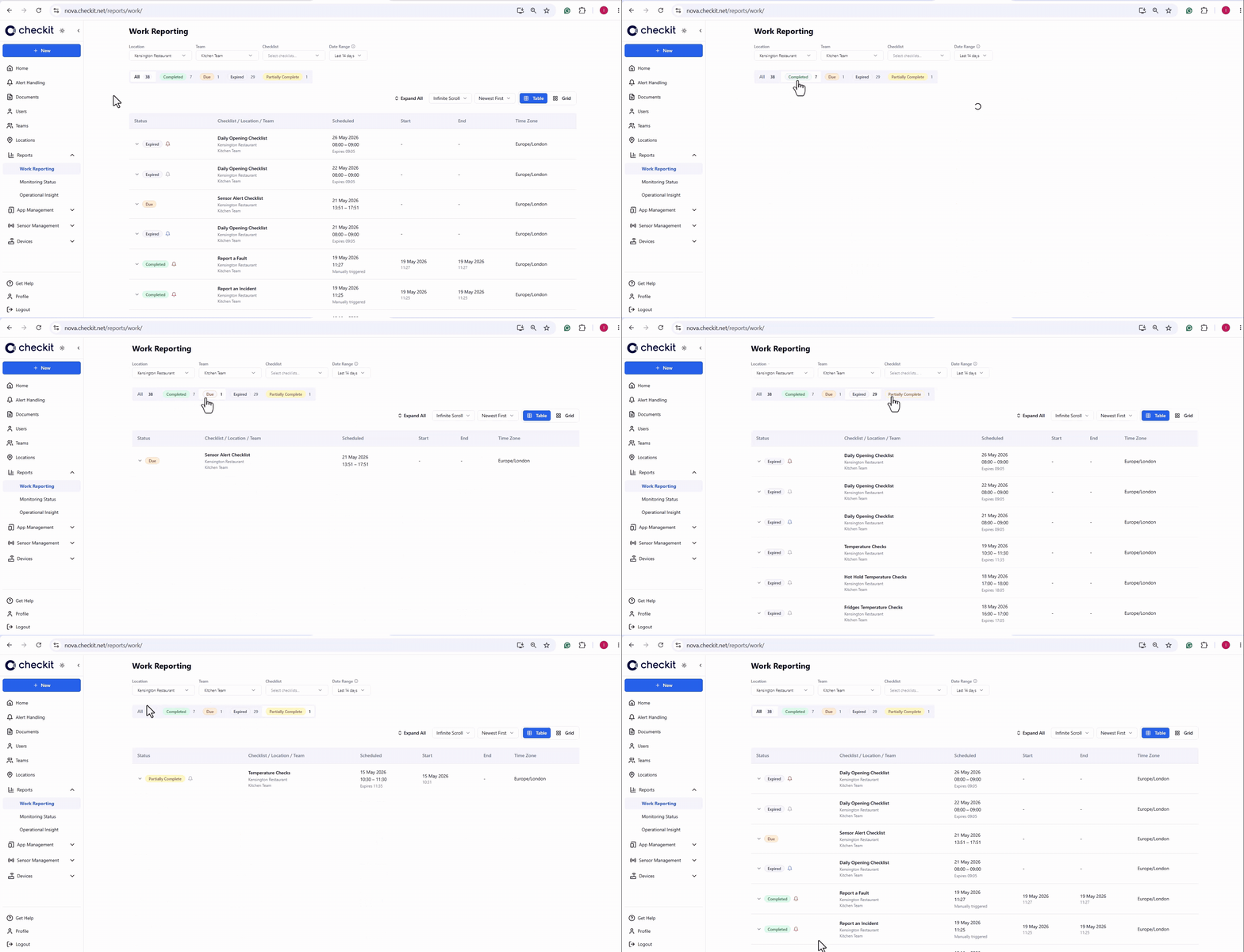
🟢🟠⚪ Filter work by status
Now, you can filter work by status (completed, due, expired, partially complete), so you can quickly identify work which was missed.
🔗 Work report link to alerts
If work contains an alert, you can now click the link in the Work Report to open and manage it.