
We've introduced a new Viewer role for users who need to view information in the Control Centre without being able to make changes.
The Viewer role is particularly useful for auditors and other users who need visibility of operational information but do not need to manage or action it.
What Can Viewers Do?
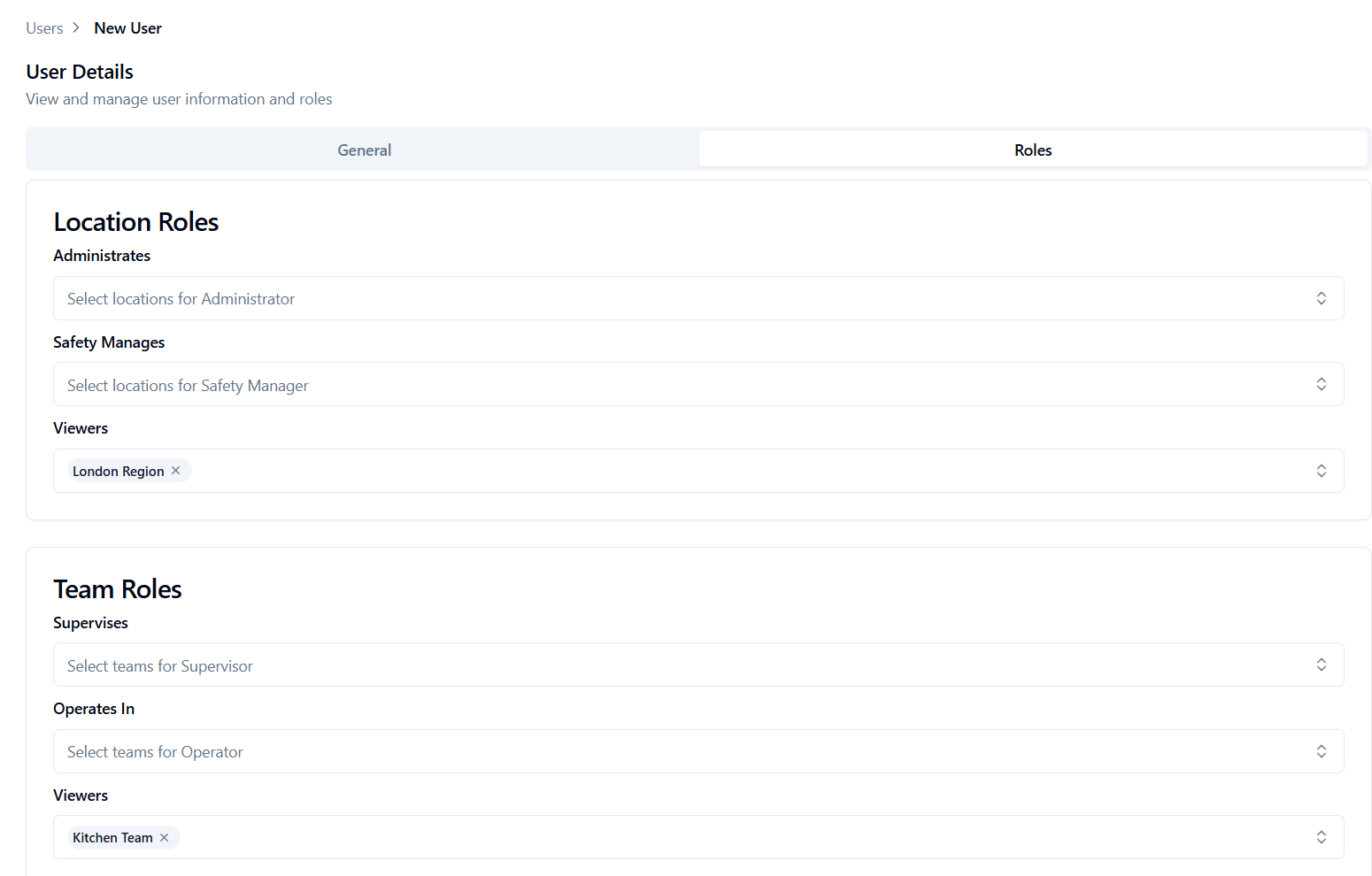
Viewers have read-only access and can be assigned to either a location or team.
Viewers can:
-
View reports, including the alerts report, work report, and monitoring report
-
View work assigned to their location/team
-
View monitoring assigned to their location/team
Viewers cannot make changes in the Control Centre. For example, they cannot acknowledge or resolve alerts, complete work, change configuration, or manage users.
How to Assign the Viewer Role
Only Safety Managers can assign the Viewer role.
You can assign a Viewer to a location or team. If assigned to a location, they can see information for that location and any locations below it in the location hierarchy. If assigned to a team, they can only see information associated with that team.
To assign the Viewer role to a new user, see Create a User.
To assign the Viewer role to an existing user, see Edit a User.
You can assign the Viewer role alongside another role. For example, a user could be assigned as a Viewer for a region and as an Administrator for a specific site.