
Types of Users
There are 2 types of users:
Customer Administrators
Customer Administrators are the only type of user that can:
-
Manage other users (i.e., add, modify, disable/re-enable, and delete users and reactivate a user's PIN/password)
-
Delete files and create and delete folders in the documents library
Customer Administrators have all permissions enabled across all departments in all sites.
Standard Users
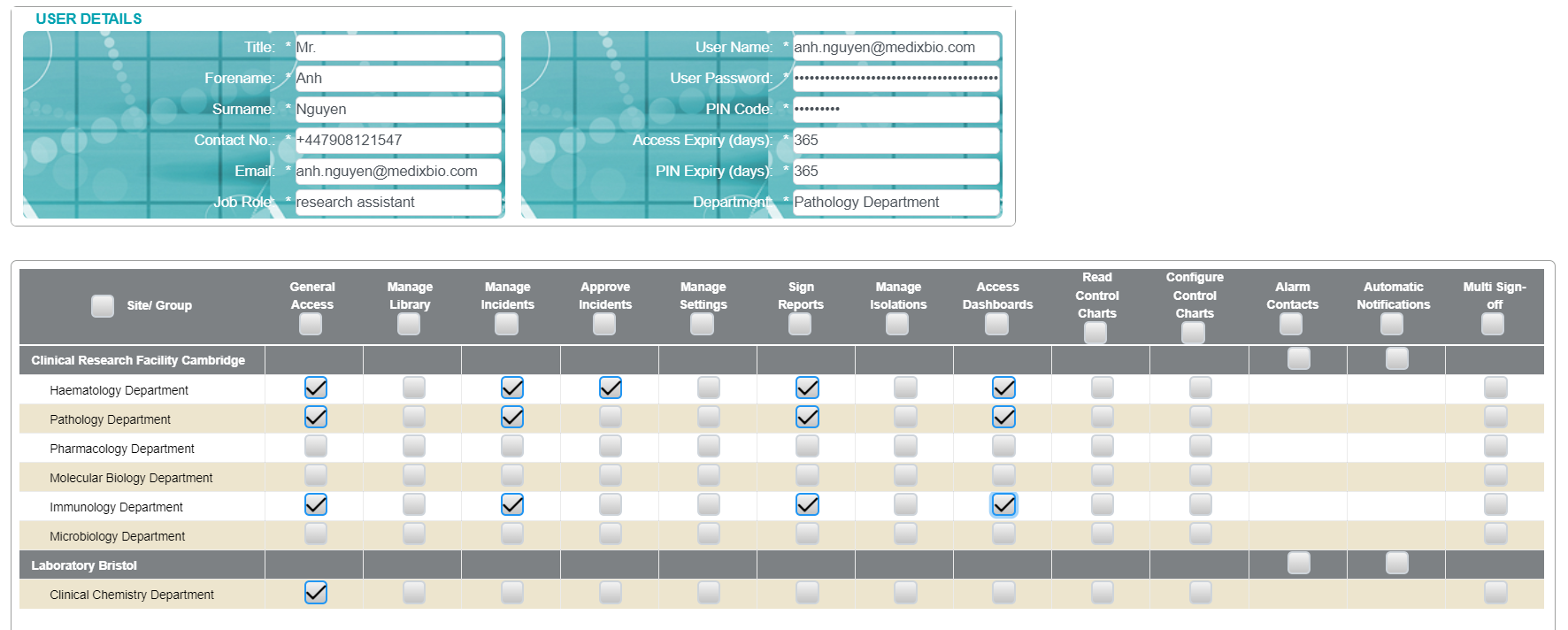
Standard Users are granted a custom set of permissions for each department as applicable (see image 1).
They can have permissions granted in multiple departments across multiple sites.
See User Permissions for details.
User Roles
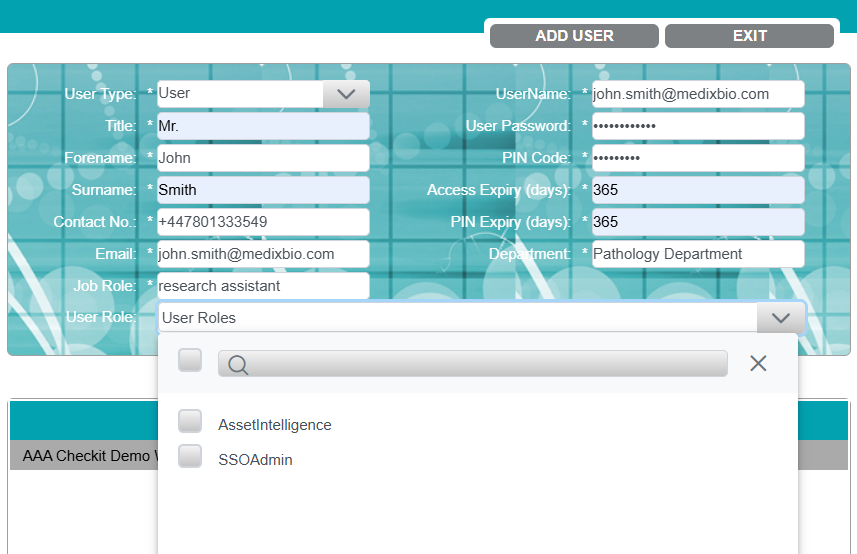
User roles provide additional capabilities to users, enabling access to specific optional features.
There are 2 user roles:
-
Asset Intelligence: Can only be assigned to Customer Administrators - allows the user to view the Asset Intelligence Dashboard.
-
SSO Admin: Can be assigned to both Customer Administrators and Standard Users - allows the user to configure Single Sign-On.
Asset Intelligence and Single Sign-On are optional features. Please contact us to enable them.