
Asset Intelligence provides analytics from across your sites, helping you monitor equipment performance, take preventative action to avoid operational interruptions, and optimise energy usage for cost saving and sustainability.
It consists of two parts:
-
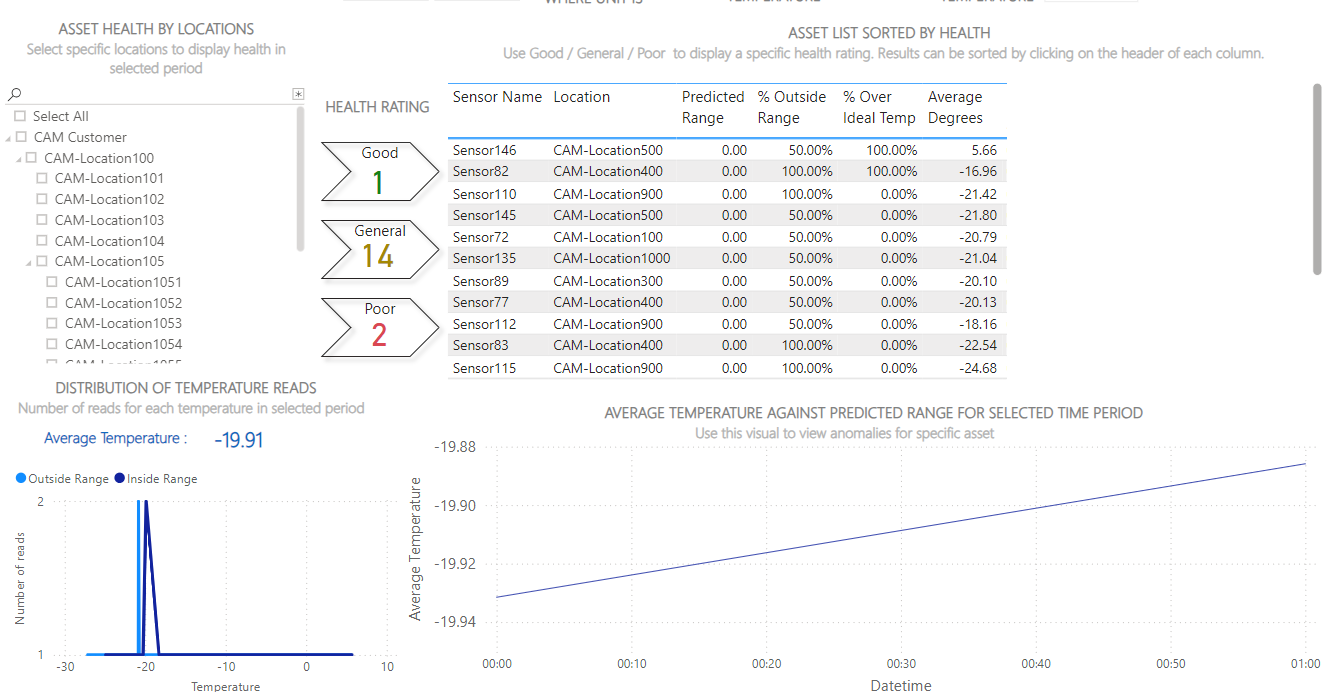
Asset Health & Availability: an overview of the performance of your fridges and freezers, highlighting equipment in poor health
-
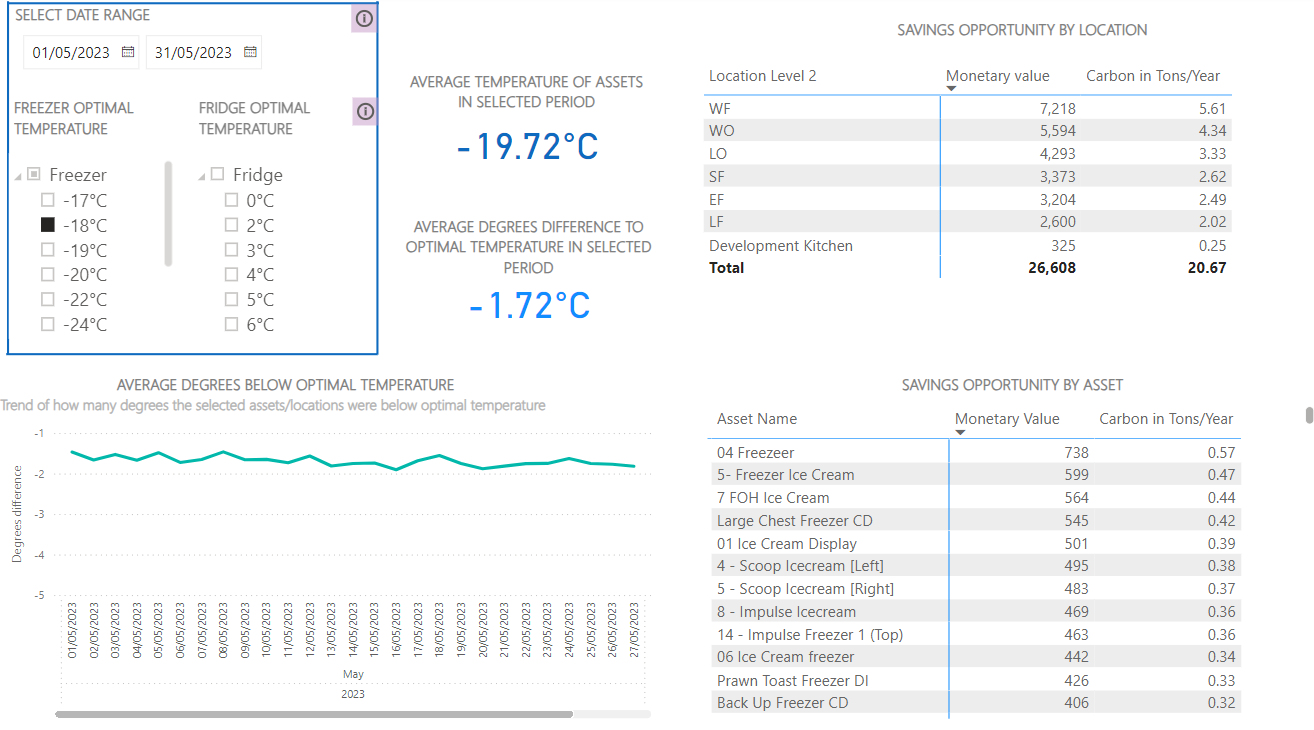
Energy Saving: shows you how to save money and reduce carbon emissions by optimising the temperature of your fridges and freezers
Click a link above for more details.
Asset Intelligence is an optional feature. Please contact us to enable it.
How to Access Asset Intelligence
You must be an Administrator or Safety Manager to view Asset Health & Availability. See User Roles for more details.
-
Go to the Control Centre.
-
Go to Reports> Asset Intelligence
-
Select either:
-
Asset Intelligence for Asset Health and Availability
-
Energy-Saving Feature
-