We regularly release new versions of the Checkit App with new features and improvements.
You should ensure that your device is running the latest version for optimal performance.
You will receive a notification on your mobile device when a new version is available to download. Tap the notification to download the latest version. Your device will restart during this process.
Alternatively, you can manually check for and download updates. To do so:
-
Tap the 3 vertical dots at the bottom left corner of the app screen.
-
Tap About App.
-
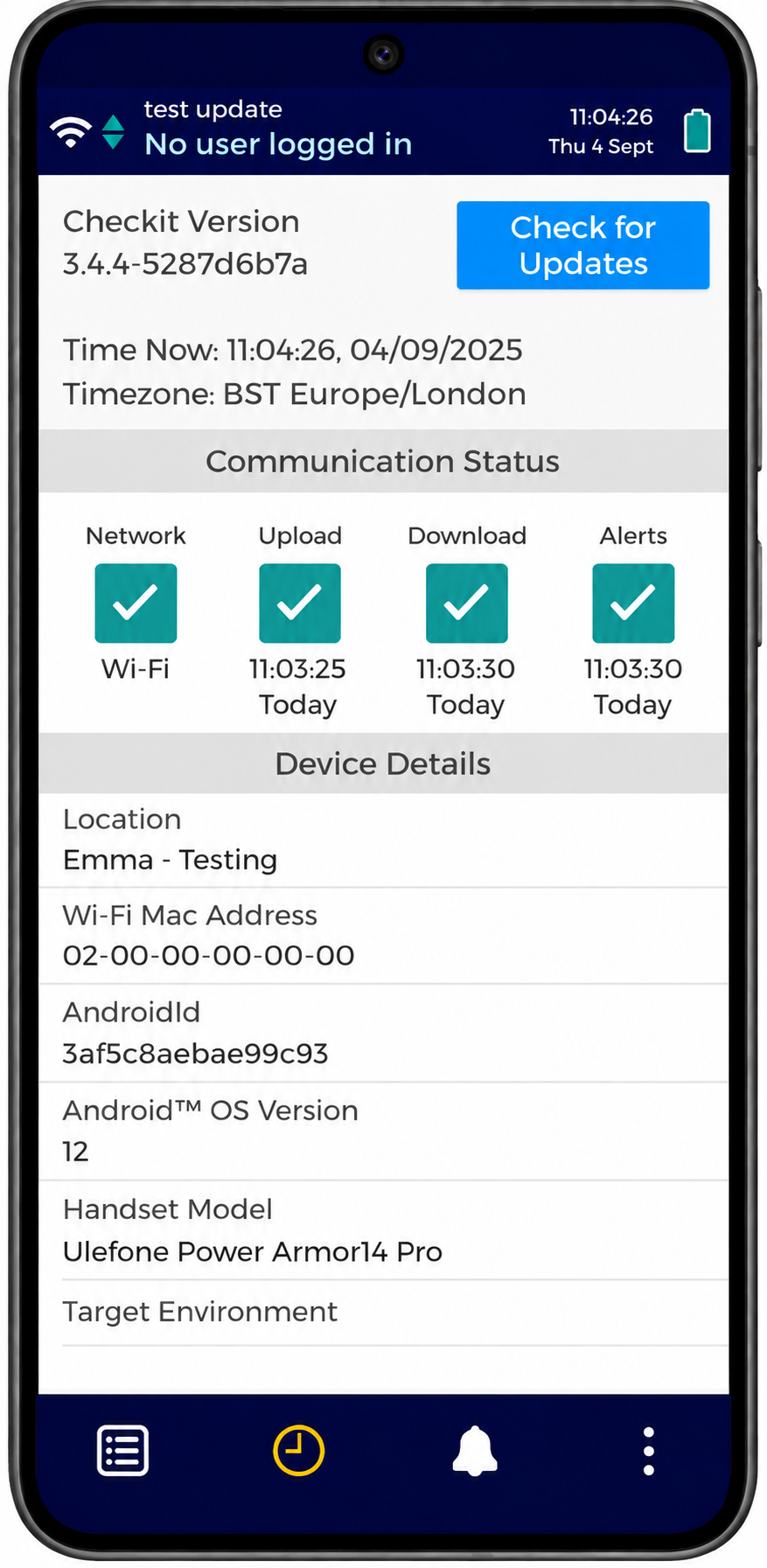
Tap Check for Updates (see image 1).
-
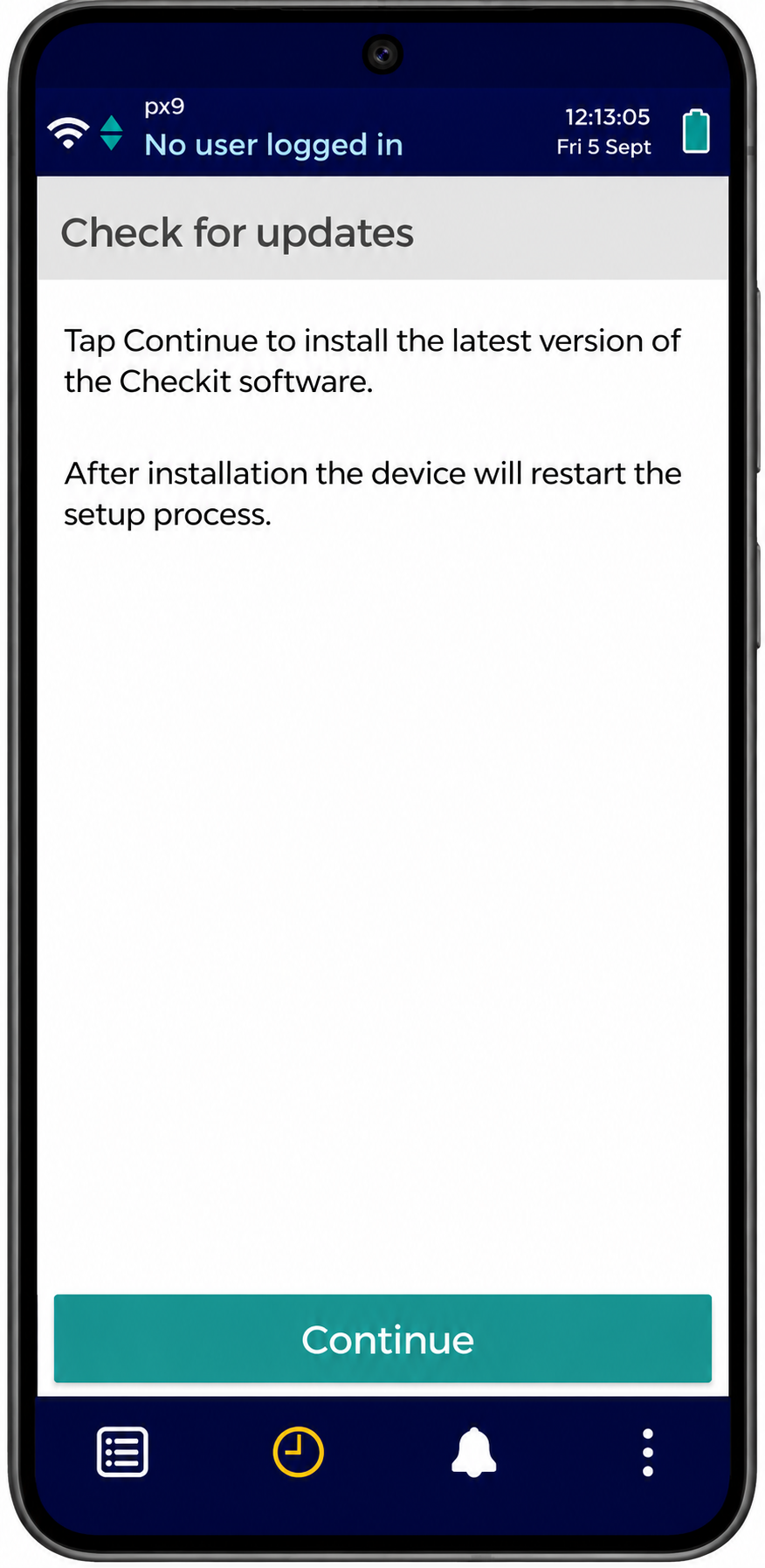
If any updates are available, tap Continue to download the latest version (see image 2). Your device will restart during this process.
If you use the Checkit App on your own phone or tablet, please check for updates in your device’s Settings app.