
Contacts are individuals we notify in the event of an alarm or alert.
In order to receive notifications, a contact must be allocated to a contact list.
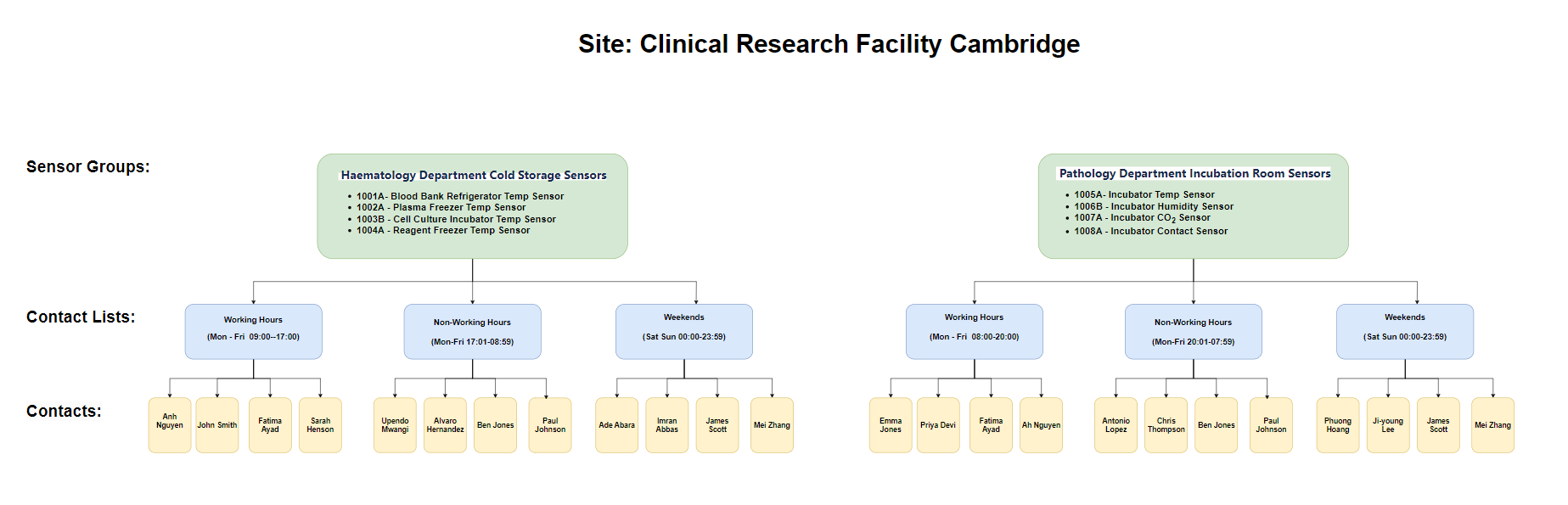
Contact Lists
A contact list is a group of contacts who receive alarm and alert notifications triggered by a sensor group (such as haematology department cold storage sensors, pathology department incubation room sensors, etc.) at designated times (such as during working hours, non-working hours, weekends, public holidays, etc.).
There are two types of contact lists: permanent and special occasions.
Permanent contact lists
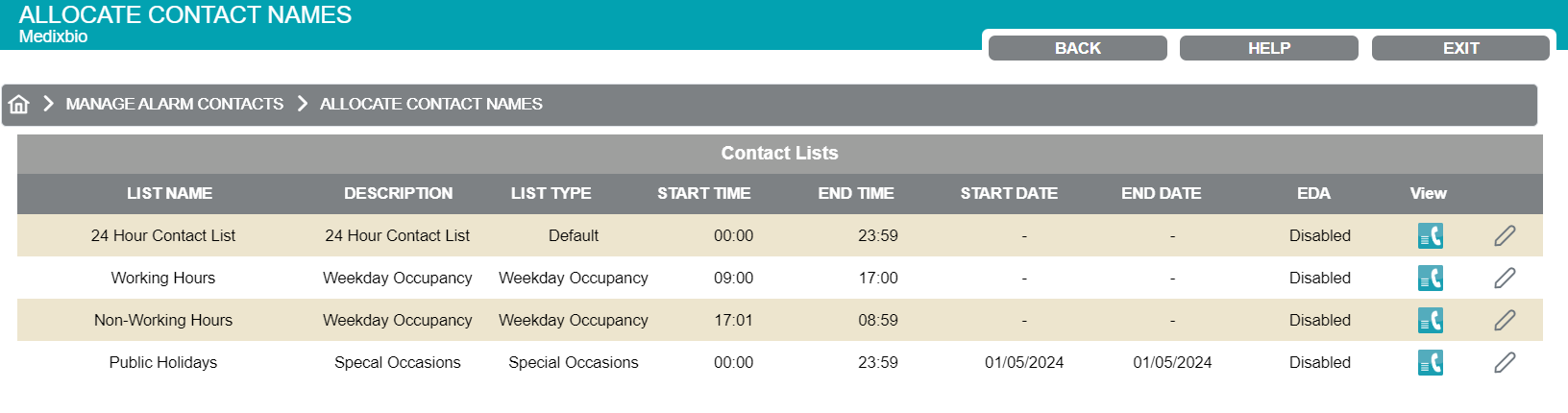
Permanent contact lists are recurring schedules that are configured based on your operational requirements. Common examples include:
-
Weekdays working hours
-
Weekdays non-working hours
-
Weekends working hours
-
Weekends non-working hours
You can edit the times of the permanent contact lists. For example, if working hours change from 09:00–17:00 to 09:00–17:30, you can edit the start/end time of the contact list accordingly.
If you require an additional contact list (for example, Sunday out-of-hours), please contact us.
Special occasions contact list
The special occasions contact list is used for events such as public holidays (for example, May Day or Christmas Day). You can configure a start and end date and time, as different contacts may be working on special occasions.
The special occasions contact list will override the permanent contact lists during the configured date and time period.
See image 2.
To add individuals to a contact list:
-
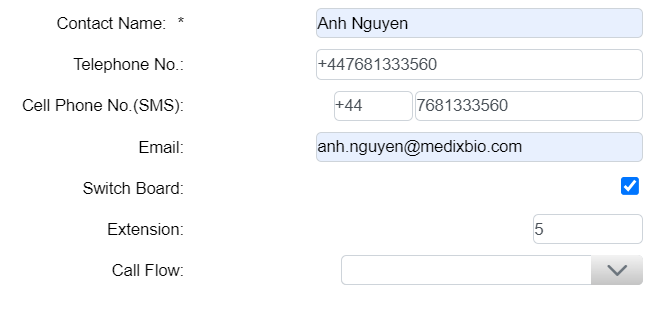
Create a contact (i.e. enter their details such as name, email address, phone number, etc.)
-
Allocate the contact to a contact list (when you do so, you can specify if you want them to be notified by 1, 2, or all 3 of the following methods: call, SMS, and email).
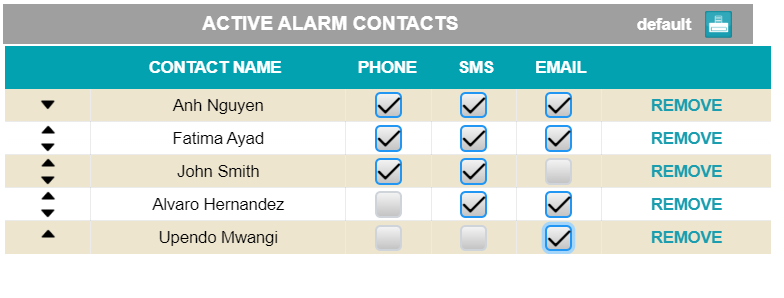
In the event of an alarm, we will call applicable contacts on the relevant contact list one by one, starting from the top of the list until someone accepts (i.e. takes responsibility for) the alarm. We will try this method first. If nobody accepts the alarm, we will send an SMS message and an email simultaneously to all applicable contacts.
In the event of an alert, we will send an SMS message and email simultaneously to all applicable contacts.
Call notifications are an optional feature. Please contact us if you would like to enable them.
We only call contacts in the event of an alarm. Contacts are notified of alerts via SMS and email only.
You can:
-
Modify a contact if you want to add to or edit their contact information, such as phone number, email address, etc.
-
Disable a contact if you want to temporarily stop them from receiving alarm and alert notifications from all contact lists they are allocated to
-
Remove a contact from a contact list if you no longer want them to receive alarm and alert notifications from a specific contact list
-
Delete a contact if you want to remove them entirely from the system and stop them from receiving alarm and alert notifications from all contact lists they are allocated to
See Modify a Contact List for instructions on how to edit the time period during which a contact list is active.